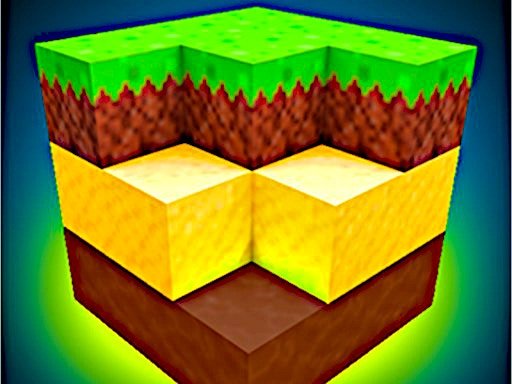
 PIXEL CRAFT 2
 Geometry Dash Antecoder
 Bloons Tower Defense 3
 Dream Car Racing Evo
 Friday Night Funkin Story Mode
 Friday Night Funkin'
 Burger House
 Geometry Dash Scratch
 Geometry Dash Wave
 Madalin Cars Multiplayer
 Penalty Challenge
 Madalin Stunt Cars
 Fireman 3
 Madalin Stunt Cars 2
 Happy Wheels
 Dora's Puppy Adventure
 Minecraft Tower Defense 2
 Papa's Scooperia
 Papa's Pizzeria
 Escaping the Prison
 GET YOKED: Extreme Bodybuilding
 Backyard Mini-Golf
 Geometry Dash 1
 Rocket Stunt Cars
 Dogfight 2
 Bloons Tower Defense 2
 Snake
Snake
 Cookie Clicker
 Dash Wave Impossible
 Extreme Drift
 HoleBattle.io
PIXEL CRAFT 2
Hey there! We’re super excited to introduce the upgraded version of Pixel Craft!
With this new version, you’ll have access to a ton of new tools, terrains, and objects to create and customize your very own kingdom in this magical building simulation game. The possibilities are endless, and we can’t wait to see what you’ll come up with!
So, how do you get started? Don’t worry, we’ve got you covered!
Here are the basic controls to get you building:
- Move: “W”, “A”, “S”, “D”
- Up/Down: “Q”, “E”
- Select block: “1-8”
- Pause and Key info: “P”
- Hit block: LEFT-CLICK
- Create block: RIGHT-CLICK
- Rotate block: “R”
- Fly mode: “F”
- Build mode: “B”
- Crouch: “C”
- Run: LSHIFT
- Torch: “L”
- Throw ball: “R”
- Summon deer: “Y”
- Place brick: “X”
- Interact: “T”
- Throw: “G”
- Open block list: TAB
- Console: “H”
And the best part? You’ll get to enjoy:
- Stunning cubic graphics and pixel art with high frames per second!
- Unlimited resources to build your dream kingdom, and the ability to fly for an even more immersive experience!
- High game optimization for all PCs and Macs, so you can play smoothly and without any fuss!
- The freedom to build whatever you want, whether it’s a cozy little house with a garden and rooms, a grand castle, or something entirely new and creative!
So, are you ready to let your imagination run wild and start building? Let’s get crafting!
ADV 2


