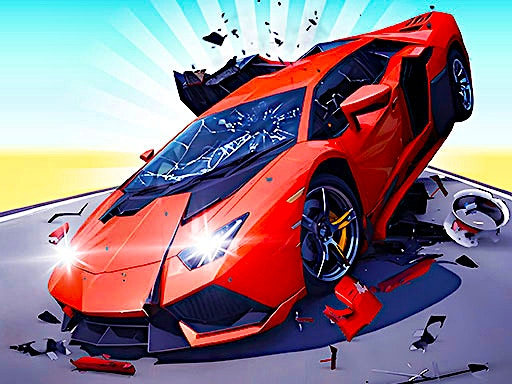
 HYPER CARS RAMP CRASH
 SD Robo Combat Arena
 Robo Duel Fight 3 - Beast
 Total Tankage
 Mini Heads Party
 Trapped Ball Oxide
 Fuzzmon 2 - Mighty Earth
 Dragon Ball: Fierce Fighting 3
 Flash Bash
 Pixel Battles
 Mickey and Friends
 Car Madness 3D
 Road Carnage
 Sketchy Tanks War
 Kingdom Bow
 Dragons Fist
 Hover Havoc
 Tom and Jerry Gold Miner
 Two Tubes 3D
 One Piece Pirate Battle
 2-3-4 Player Games
 House of Hazards
 Two Ball 3D
 Bird Jungle Rescue
 Mortal Kombat
 Regular Show Fist Punch
 Comic Stars Fighting
 Territory War 3
 TwinCat Warrior
 Rumblah Flash Fighting
 Boxhead 2Play
HYPER CARS RAMP CRASH
Hi there! I’d be happy to help you get started with Hyper Cars Ramp Crash, a thrilling 3D stunt and crash simulation game that’s packed with realistic physics and stunning graphics!
In this game, you’ll have the opportunity to perform mind-blowing stunts in various modes using seven super-sport car models that are just waiting for you to take them for a spin. You can play in open world, stunt, or fall modes, and enjoy the action solo or with a friend!
So, how do you play? Well, let me break it down for you:
Playing solo:
To control your car, use the keys “W,A,S,D” or the arrow keys on your keyboard. To give your car a boost, press “L-SHIFT”. If you need to restart your car’s position, hit “R”. And if you want to switch up your camera view, press “C”.
Playing with a friend:
When playing with a friend, the controls are slightly different. Here’s what you need to know:
Player 1:
Use the same controls as before: “W,A,S,D” for movement, “L-SHIFT” for NOS, “R” to restart your car’s position, and “C” to change your camera view.
Player 2:
You’ll use the arrow keys for movement, and press “N” for NOS. To restart your car’s position, hit “L”, and to change your camera view, press “U”.
I hope that helps! If you have any more questions or need further assistance, feel free to ask. Happy gaming!


